See Your Disk. Clearly.
Scan at the speed of thought. See every layer of your disk. Let AI decide what to delete. Visualize it all in stunning color.
Requires macOS · Free to use · v1.0.0


Scan at the speed of thought. See every layer of your disk. Let AI decide what to delete. Visualize it all in stunning color.
Requires macOS · Free to use · v1.0.0
Built with Rust, purpose-optimized for macOS. 3 speed modes. No compromises.

Full power. Scan a full disk in seconds.
High speed while reserving CPU headroom. Great for scanning while working.
Balanced mode. Reduced system load. Ideal for older hardware or background scanning.
256GB APFS disk · ~3.2M nodes · Apple M-series · Blazing mode
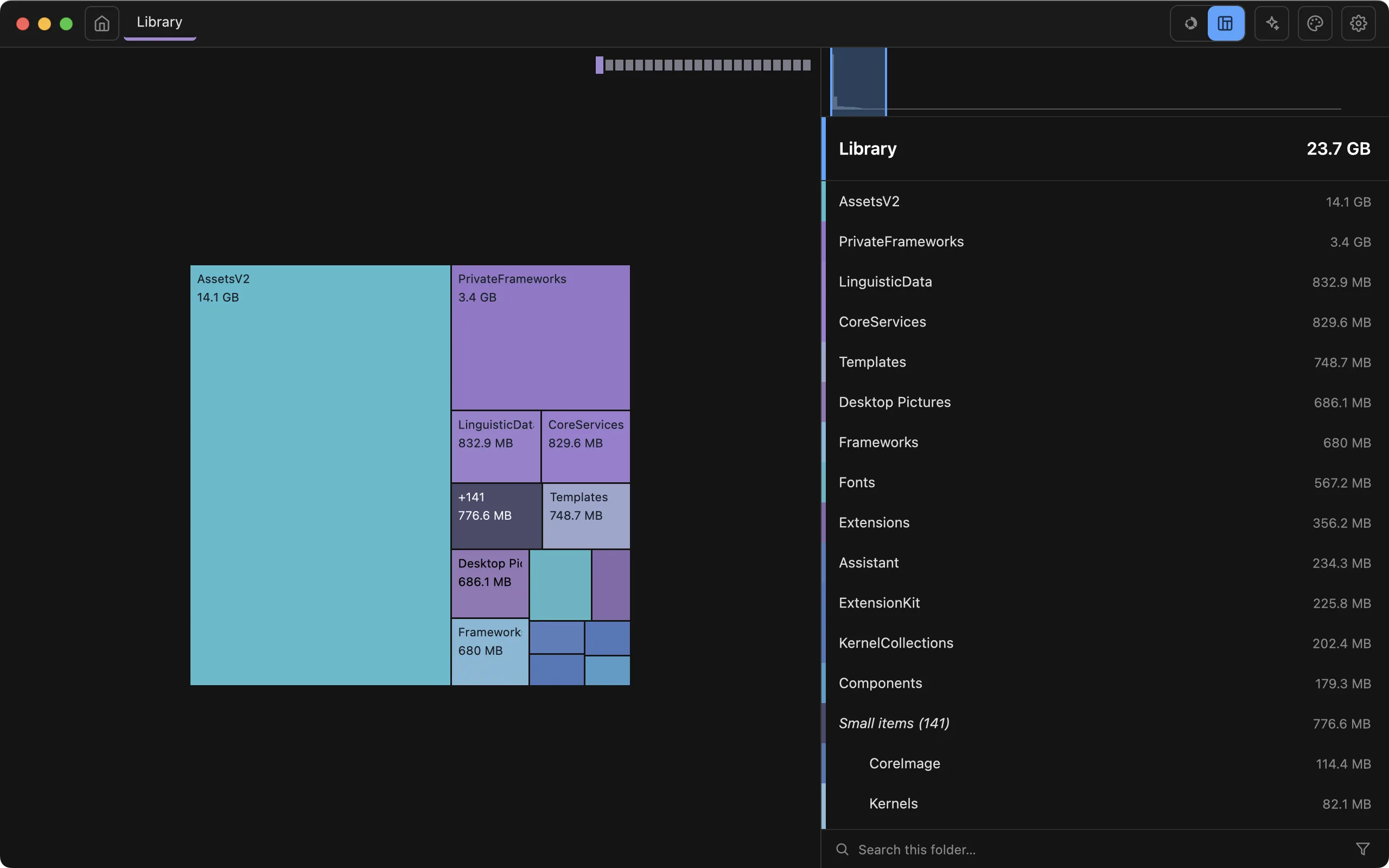
The rectangle view turns your disk into pages — ancestor folders line up as books, and the level scale jumps you straight to any depth.

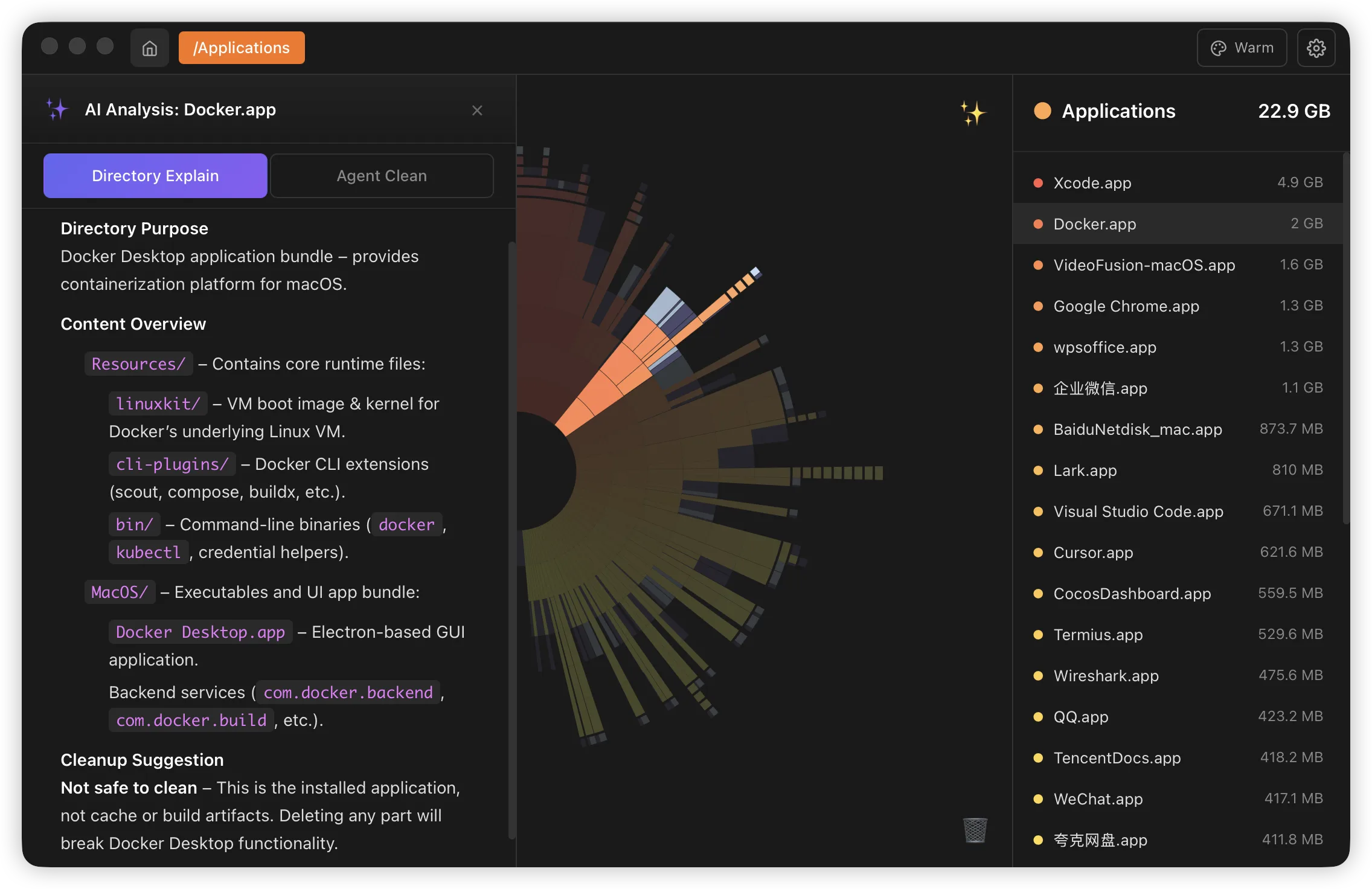
Right-click a directory. Get instant streaming analysis. Know what's safe to delete — and why.
Streaming Markdown analysis. Understands project types, identifies build artifacts, caches, and temporary files. Outputs in your language.
Hover any file for instant thumbnails — or press Space for the native Quick Look panel.

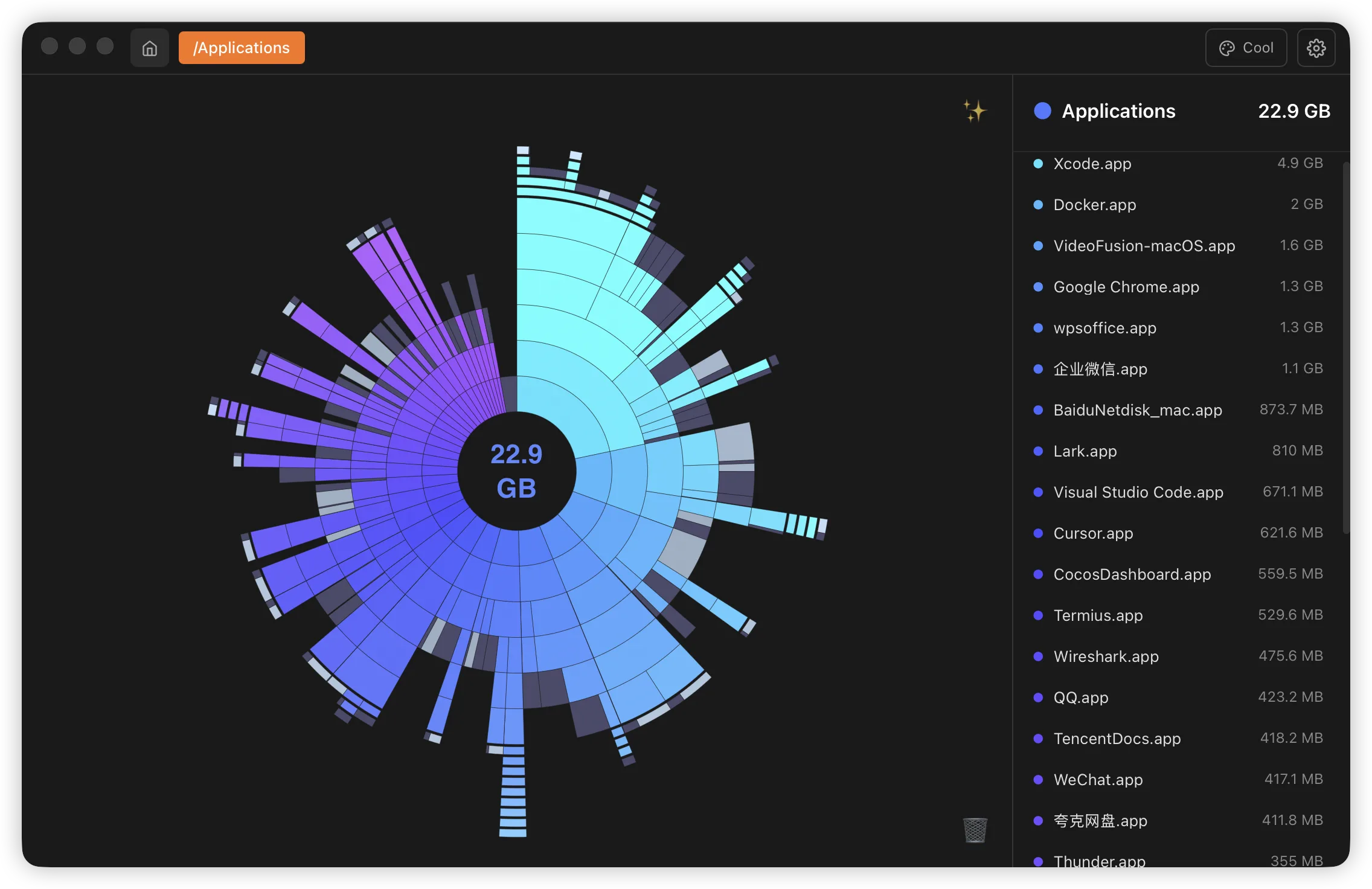
10 handcrafted color themes. From vibrant spectrum to elegant vintage — find the palette that fits your style.

Get ZingDisk on the Mac App Store and see exactly where your storage goes.
View on the Mac App Store